
Does the Lottery App Check Millionaire Maker Numbers & Codes?
Have you ever felt that burst of hope when your National Lottery ticket includes a Millionaire Maker code? That moment when you scan your ticket, wondering if you have bagged the big one?
With so many of us using our phones for everything, it is natural to ask whether the official Lottery app can check both your main numbers and that all-important Millionaire Maker code.
If you have ever worried about missing a prize, especially with special draws and unique codes to track, this guide sets out exactly what the app does and what it does not do, so you can check with confidence.
Does The Lottery App Check Millionaire Maker Codes Or Just Numbers?
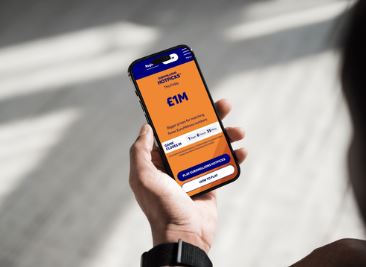
It is not limited to the main numbers. The app checks both parts of your entry, so the Millionaire Maker code is reviewed alongside your EuroMillions numbers.
After your ticket details are captured, the results screen shows any matches and highlights whether the win relates to the main draw or the Millionaire Maker raffle. There is no need to sift through separate results pages.
If you are wondering how to go about checking in practice, here is what that looks like in the app.
How To Check Millionaire Maker Codes In The Lottery App
Checking a Millionaire Maker code in the app is straightforward. Most players either scan the barcode on a paper ticket or enter their ticket details manually. The app then confirms which draws your ticket is eligible for and displays any prizes on screen, along with the next steps.
Manual entry works just as well as scanning, so you can choose whichever method you prefer without missing anything.
Can I Scan My Ticket To Check Millionaire Maker Codes?
Yes, you can scan your ticket to check Millionaire Maker codes in the official app. Using your phone’s camera, the app reads the barcode and checks your entry for all relevant prizes, including Millionaire Maker, in a matter of moments.
If the barcode is smudged or creased, or the scan does not register, you can still enter the details by hand and get the same result.
Scanning helps, but first you need to know where the code is on your ticket.
Where To Find The Millionaire Maker Code On Your Ticket
On a paper ticket bought in a shop, the Millionaire Maker code is usually printed beneath your main EuroMillions numbers. It is a unique sequence of four letters followed by five numbers, such as ABCD12345.
If you play online or through the app, the code appears in your account within your digital ticket receipt. Always make sure you are checking the correct ticket, as each code is unique to that entry.
Once you have found the code, the app does the matching for you.
How The App Matches Millionaire Maker Codes To Draw Results
When you scan or enter your ticket, the app compares your unique code with the official list of winning Millionaire Maker codes for that draw. This happens automatically and takes only a moment.
If there is a match, the result appears clearly on screen. There is no need to search through long lists or cross-check multiple pages. Just make sure the details you have entered are accurate so the app can match them properly.
What Counts As A Winning Millionaire Maker Code?
A winning Millionaire Maker code is one that exactly matches a code drawn in the official Millionaire Maker raffle for that EuroMillions draw. The format is four letters followed by five numbers, for example ABCD12345.
There are no partial matches. Every letter and number must be identical to the code announced in the results for it to count as a win.
What To Do If The App Confirms A Millionaire Maker Win?
If the app confirms a Millionaire Maker win, it will show the amount and explain what happens next. For entries bought online or in the app, most prizes are paid directly into your National Lottery account. Larger prizes may involve additional verification and contact from customer support.
If you used a paper ticket, keep it safe and sign the back. The app will point you to the correct way to claim, which may involve visiting a retailer for smaller amounts or contacting the National Lottery directly for bigger wins. Do not share images of your ticket publicly.
Be mindful of claim deadlines. If in doubt, the app and the official website have help pages with clear guidance.
If you want more detail on how claims are handled in the app, the next section covers that.
How To Claim Millionaire Maker Prizes Through The App
For tickets purchased online or in the app, eligible prizes are usually credited to your account automatically, and you will see a message confirming the win. For higher-value prizes, you may be asked to complete checks or speak with the National Lottery team to confirm details.
If you bought a ticket in a shop, the app will explain the correct route to claim once you have scanned it. Keep the ticket secure and signed until your claim is processed. Claims must be made within the stated time limits.
If anything is unclear, use the help links within the app to speak to support. Following the official guidance keeps the process smooth and secure.
What To Do If The App Does Not Recognise Your Millionaire Maker Code?
If the app does not recognise your code, start by checking that every character has been entered exactly as printed on the ticket. A single incorrect letter or number will stop a match.
If you are scanning, good lighting and a clean camera lens help the barcode read properly. Try again, and if that does not work, close and reopen the app or check for an update.
Should the code still not be recognised, compare your ticket with the results on the official National Lottery website, or contact customer support for assistance. Keep your ticket safe until everything is resolved.
Common Reasons The App Fails To Read Millionaire Maker Codes
A damaged or smudged barcode can prevent the camera from scanning the ticket. Flatten any creases and make sure the barcode is clear before trying again.
Poor lighting or a dirty camera lens can also cause problems. Move to a brighter spot and give the lens a quick wipe.
Using an outdated version of the app may lead to technical issues, so it is worth installing the latest update. If you are entering the code manually, double-check the draw date and every character in the code to avoid typos.
If scanning still fails, manual entry remains a reliable fallback, and the official website can be used to confirm results.
Security And Privacy When Checking Codes In The App
The official National Lottery app uses secure encryption to protect your personal details and ticket information. Only you can access your account, and you will not be asked to share sensitive information by email or text.
Always log in securely and keep your password private. Regular updates help protect against new threats, so staying on the latest version is sensible.
If you ever notice something unusual, such as an unexpected message or email, contact customer support directly for advice. With a few simple precautions, checking your Millionaire Maker codes in the app stays safe, private and straightforward.
**The information provided in this blog is intended for educational purposes and should not be construed as betting advice or a guarantee of success. Always gamble responsibly.